

ECM Titanium software helps professional workshops make ECU tuning faster by turning complex calibration data into a clearer, more organised working environment. Instead of spending too much time searching through raw values or jumping between disconnected tools, technicians can identify maps, compare data and apply changes within one dedicated platform. That matters when your workshop handles several vehicle types, tight deadlines and customers who expect reliable results the first time. ECM Titanium supports engine and automatic transmission calibration files, bringing ECU and TCU work into one consistent process. Combined with KESS3, DynoDrive, Powergate and official Alientech training, the software becomes part of a wider tuning workflow that covers reading, editing, testing and customer delivery. The seven benefits below show how that efficiency works in practice.
TLDR
ECM Titanium software improves ECU tuning efficiency by helping technicians identify calibration maps, compare file data and manage ECU and TCU projects within one organised environment. Drivers reduce the time spent locating relevant maps, while table, 2D, 3D and hexadecimal views make complex calibration data easier to interpret. When combined with KESS3, DynoDrive, Powergate and Alientech Academy, ECM Titanium supports a connected workflow covering file reading, calibration, programming, performance testing and customer delivery. Workshops still need trained technicians, original file backups, stable power supplies and controlled procedures to protect vehicle safety, file integrity and legal compliance.
1. It Presents Calibration Data in a Clearer Format
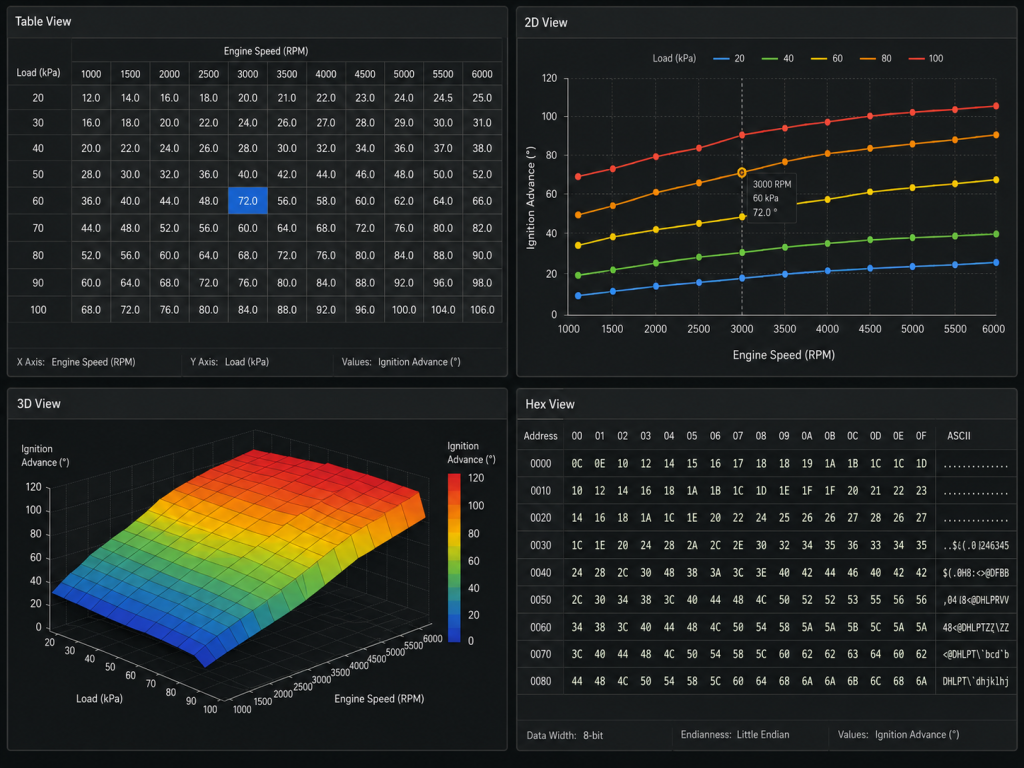
One of the biggest time drains in ECU tuning is finding the right data before any meaningful change begins. ECM Titanium interprets calibration files and presents relevant maps in formats that are easier to work with than raw hexadecimal data alone. Technicians can view calibration information in tabular, 2D, 3D or hexadecimal form and select the view that best suits the current task. Each viewing mode reveals the data differently. Tables present torque limiter values clearly, while 2D and 3D views expose patterns or unusual transitions across a calibration map. This clearer layout helps technicians begin informed calibration work sooner and spend less time searching through raw data. Alientech also provides introductory and advanced ECM Titanium tutorials, giving new and experienced users practical guidance on the software’s main functions.
2. It Uses Drivers to Speed Up Map Identification
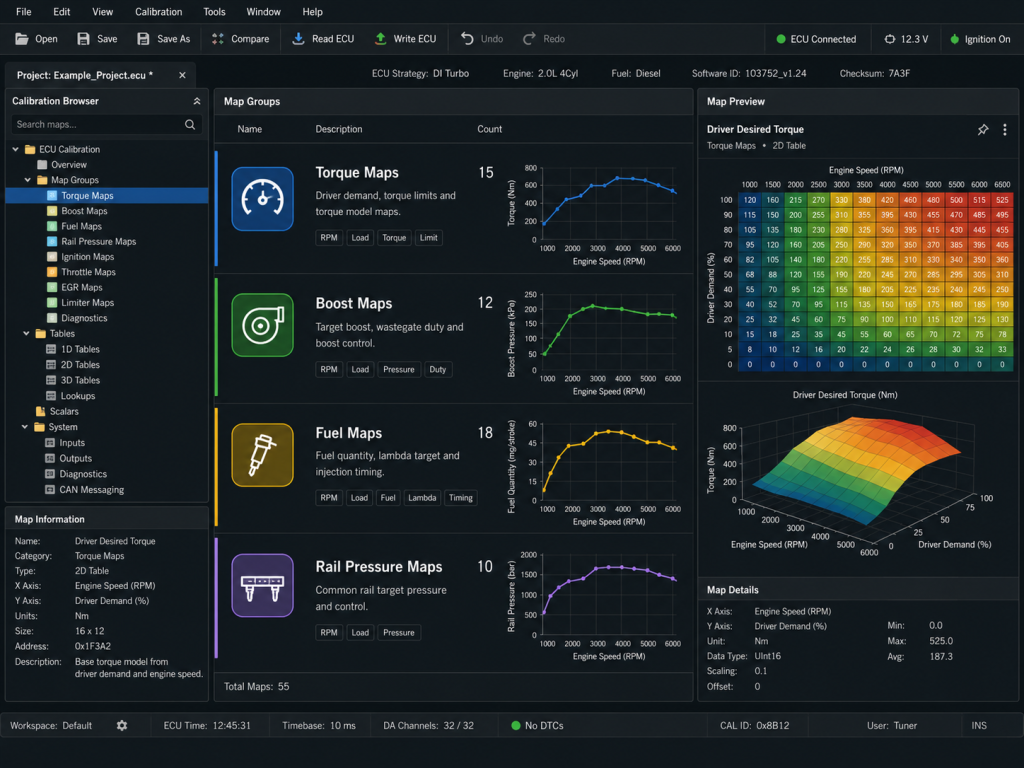
Drivers are a major part of the ECM Titanium workflow because they organise and label the calibration maps contained within a file. In the workshop, this saves technicians from manually locating every relevant calibration area from scratch. Clear map names, categories and supporting information show which values control torque, boost, fuel delivery, rail pressure and other operating strategies. The technician still needs to understand how the engine, transmission and control strategy work together before making changes, but the Driver removes a large amount of repetitive identification work. This becomes especially valuable when a workshop handles familiar ECU families across multiple customer vehicles. Alientech maintains a dedicated ECM Titanium Driver and software update section, where technicians can follow new ECU and TCU support, tuning tips and vehicle specific case histories.
3. It Keeps Editing and Comparison Work Together
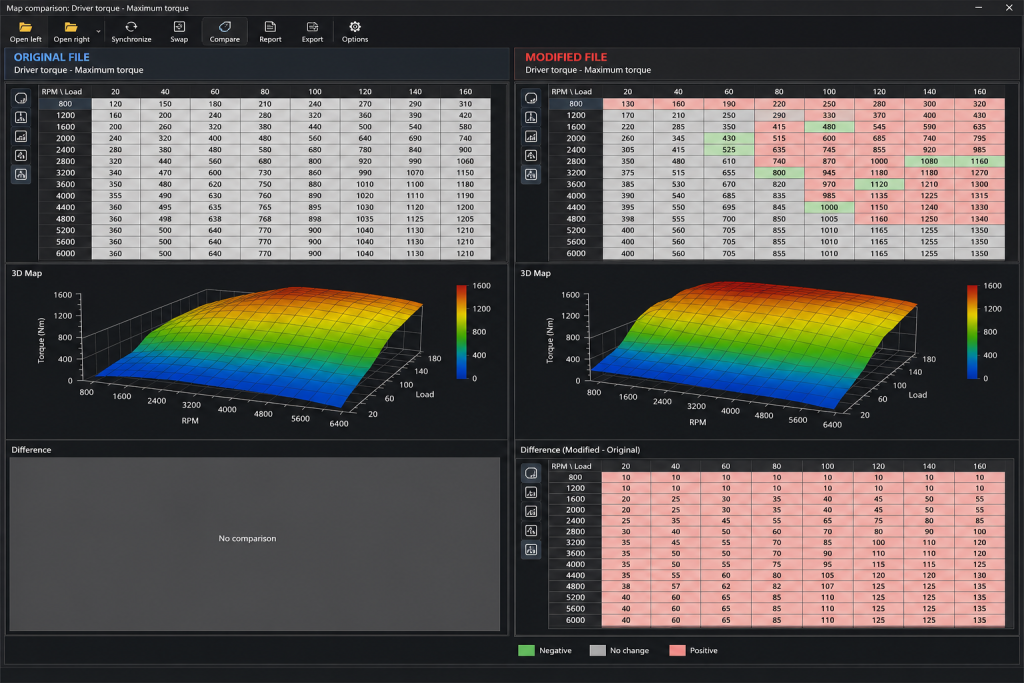
Efficient calibration work depends on how quickly a technician can compare values, review previous changes and transfer approved adjustments without losing context. ECM Titanium keeps those activities inside one recalibration environment, creating a more consistent project workflow. Current versions include project comparison, table alignment and copy and paste functions that help technicians review or transfer calibrated data between compatible projects. Busy workshops can use these tools to develop related calibrations and identify differences between files more efficiently. Original data, modified values and visual patterns remain available in the same environment instead of forcing the technician to repeatedly rebuild the view. Every adjustment must still be documented, and an untouched original file should always be preserved. The organised project interface makes those controls easier to maintain across multiple jobs and reduces confusion between original, working and completed file versions.
4. It Connects File Editing With KESS3 Programming
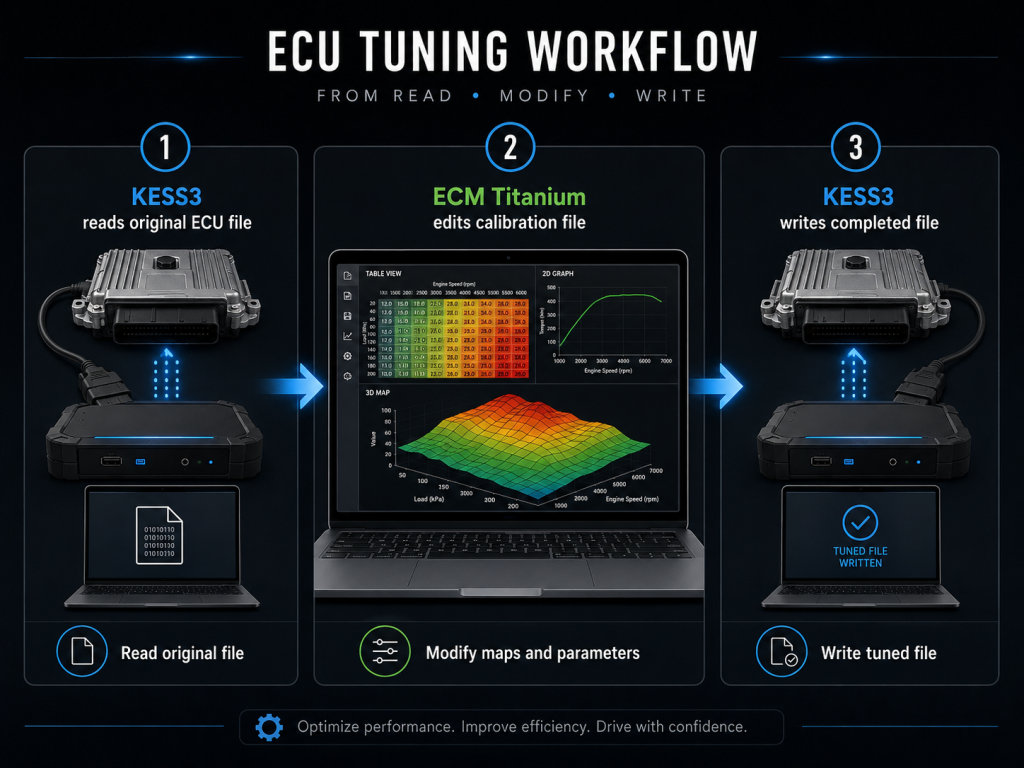
A strong ECU tuning workflow needs a clear path from reading the original file through to writing the completed calibration. The KESS3 ECU and TCU programming tool handles the reading and writing stages, while ECM Titanium provides the environment for interpreting and modifying the file. KESS3 combines OBD, Bench and Boot communication modes within one tool, allowing workshops to use the access method supported by the control unit and job. Alientech also offers a dedicated KESS3 TCU configuration for specialists working exclusively with automatic and robotised transmissions. This creates a relevant service opportunity for transmission workshops that use ECM Titanium to modify TCU calibration files. Keeping file access and calibration within the same product ecosystem gives technicians a more consistent workflow, supported vehicle information and access to current technical instructions.
5. It Supports a Wider Range of Workshop Jobs
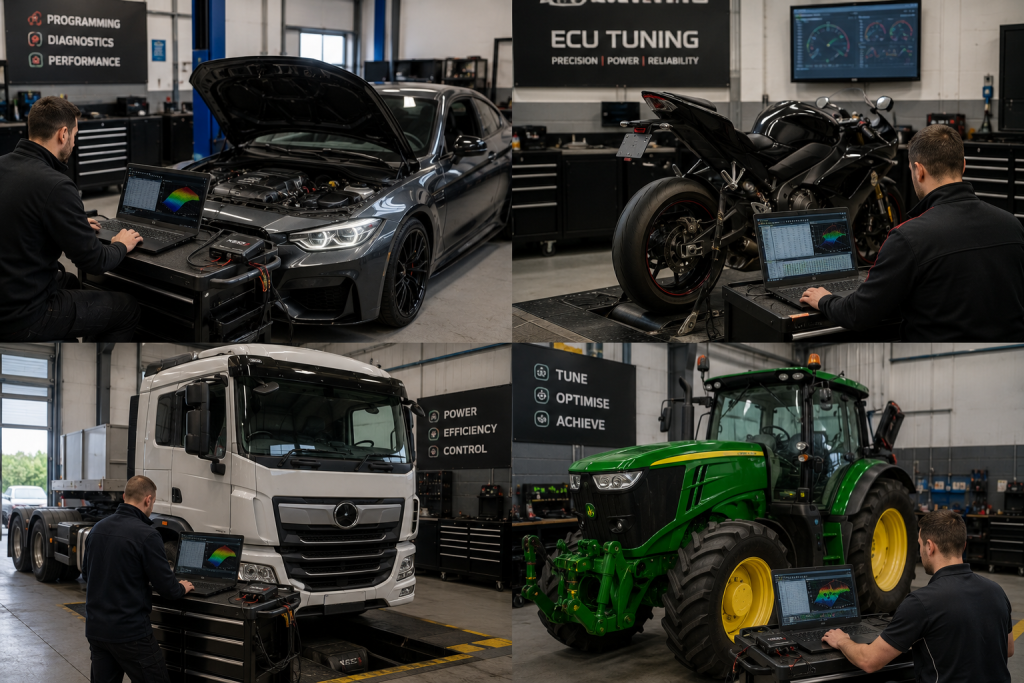
Workshops lose time when their software is too narrow for the range of vehicles and control units arriving each week. ECM Titanium supports calibration work across a broad range of vehicle categories, including cars, motorcycles, trucks, tractors and marine applications. Available ECU and TCU coverage depends on the individual vehicle, control unit and supported Driver. Technicians can review the Alientech vehicle and control unit database when checking the coverage available across KESS3 and Powergate. This is especially useful for workshops serving mixed fleets or specialised markets because it helps staff confirm support before beginning a job.
This wider coverage can help workshops serve mixed fleets, specialist vehicles and transmission customers without moving between unrelated editing platforms. Before accepting a job, technicians can check available vehicle and control unit support and determine whether a suitable Driver and KESS3 protocol are available. Every file still requires an individual technical assessment, since each control unit, engine family and transmission strategy needs the correct knowledge, procedures and legal checks.
6. It Helps Workshops Keep Tools and Knowledge Current
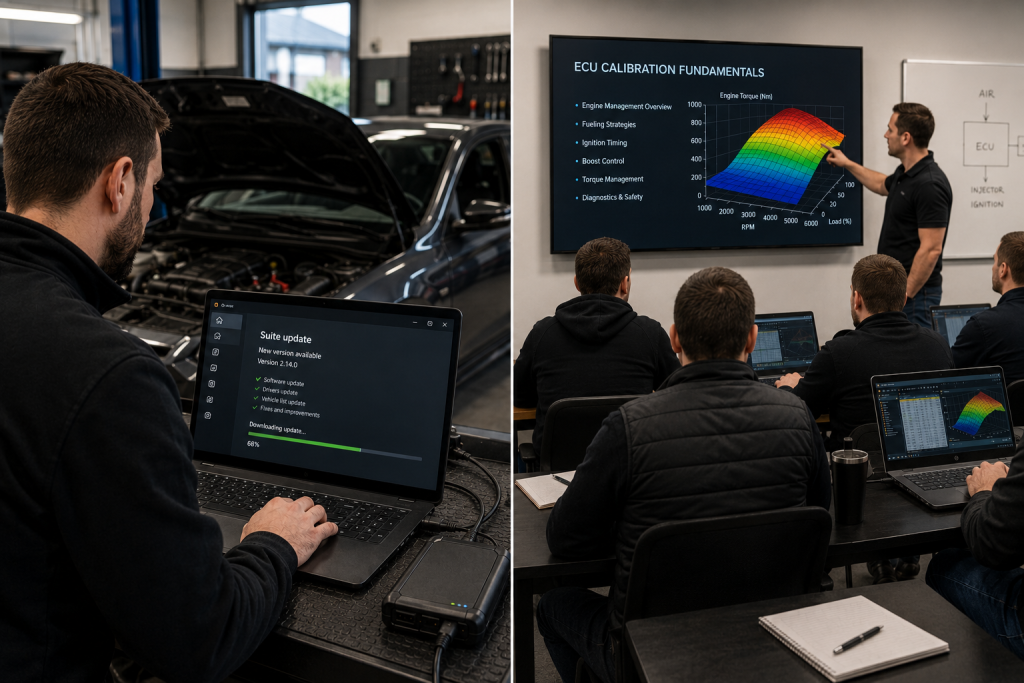
Tuning efficiency is not only about the speed of the software. It also depends on current vehicle coverage, reliable technical knowledge and consistent workshop procedures. Alientech regularly releases software updates, vehicle coverage information and new KESS3 protocols through its official software environment and technical news channels. Workshops should keep Alientech Suite current and confirm that the relevant vehicle, control unit and communication method are supported before beginning a job. The KESS3 release notes provide another useful reference for newly supported ECUs, TCUs and programming functions. For technical development, Alientech Academy offers basic and advanced courses online and in person. The dedicated ECM Titanium and ECU tuning basics course covers the software alongside diesel and petrol engine operating strategies. Together, these resources help workshops reduce guesswork, standardise their methods and develop technicians who understand the systems behind each map.
7. It Turns Calibration Results Into Measurable Customer Value
Editing a calibration file is only one stage of a professional tuning service. Workshops also need a reliable way to assess the outcome and explain it to the customer. DynoDrive works through KESS3 and the Alientech software environment to measure power and torque during a controlled road test. KESS3’s integrated sensors, including its GPS module, collect dynamic data that can be saved, compared and shared with customers. Results are saved to the Cloud, where technicians can download, compare or send them to customers.
We position DynoDrive as a complement to a dyno bench rather than a replacement, giving it a clear role within a professional testing process. Powergate adds another service opportunity by allowing workshops to deliver personalised tuning through a customer facing device and app. Together, ECM Titanium, KESS3, DynoDrive and Powergate connect file creation with programming, validation and ongoing customer service.
A Faster Workflow Still Needs Careful Controls
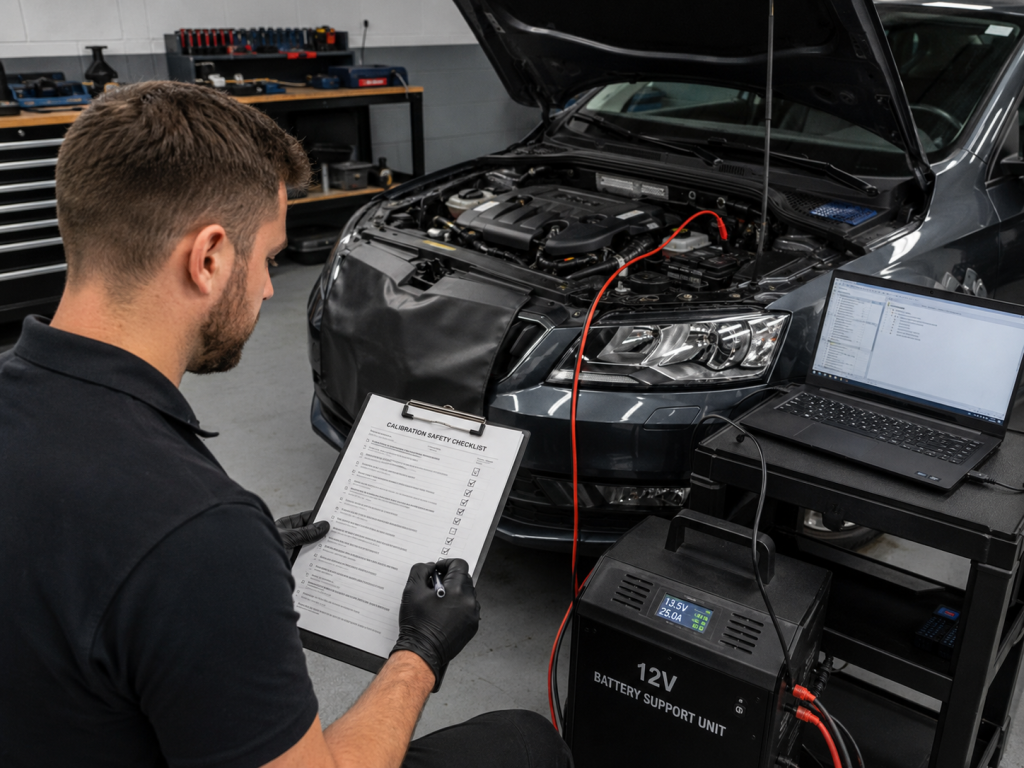
Speed should never come at the cost of file integrity, vehicle safety or legal compliance. Before writing a modified file, preserve the original read, confirm battery support, verify communication stability and check whether the calibration affects regulated vehicle systems. In Australia, road vehicles must comply with the relevant Australian Design Rules, including national standards covering vehicle safety and emissions. State and territory authorities also apply their own registration, roadworthiness and vehicle modification requirements. Workshops must confirm the rules that apply to each vehicle before completing calibration work, particularly where changes could affect emissions controls or require engineering certification. Efficient ECU tuning reaches a technically sound result through a controlled and traceable process with fewer wasted steps. The aim is to remove avoidable work while protecting accuracy, safety and professional accountability.
Make More of Every Calibration Job
For workshops handling regular calibration work, ECM Titanium software removes avoidable friction from the tuning process. It makes maps easier to interpret, supports project comparison, brings ECU and TCU calibration into a familiar environment and connects with Alientech’s wider professional toolset. KESS3 manages control unit access, DynoDrive supports performance testing, Powergate creates new customer service options and Alientech Academy develops the skills behind each adjustment. The result is a connected workflow covering more of the tuning process without sacrificing professional oversight. Explore the official ECM Titanium software platform or contact Alientech directly to discuss the right software configuration, programming tools, training and support for your workshop.
Frequently Asked Questions
What Is ECM Titanium Software Used For?
ECM Titanium software is used to view, interpret and modify calibration data found in engine and automatic transmission control unit files. It gives technicians several ways to examine data, including tabular, 2D, 3D and hexadecimal views, and uses Drivers to identify relevant maps. In a professional workshop, ECM Titanium sits between the file reading and writing stages. KESS3 reads the original ECU or TCU file, ECM Titanium handles the calibration work, and KESS3 writes the completed file through the correct supported method. The software makes calibration information more accessible, but the technician remains responsible for deciding what should change, how the values interact and whether the completed file is suitable for the vehicle.
Can ECM Titanium Work With TCU Files?
Yes. ECM Titanium supports calibration files for automatic transmission control units as well as engine control units. That makes it relevant to workshops working with automatic and robotised transmissions, particularly when combined with the dedicated KESS3 TCU configuration. Transmission calibration still requires specialist knowledge because shift timing, torque intervention, clutch pressure and protection strategies interact with both the TCU and engine ECU. A technician must understand those relationships before changing values. The benefit of using ECM Titanium is that ECU and TCU calibration projects can be handled through a familiar editing environment, while KESS3 provides the supported communication methods needed to access the transmission control unit.
Can Beginners Use ECM Titanium?
Beginners can learn ECM Titanium through structured training, but safe and effective use requires a sound understanding of the systems behind each calibration. Technicians need working knowledge of engine operation, ECU strategies, torque structures, air and fuel control, diagnostics and the risks created by incorrect values. Official training connects the software functions with the mechanical and electronic systems represented in the data. New users should begin with controlled practice, preserve original files and avoid making changes they cannot explain. Alientech Academy provides basic and advanced learning paths, with courses delivered online and in person by professional trainers. Clear map organisation makes the software easier to approach, while verified knowledge and repeatable results remain the basis of professional confidence.
Does ECM Titanium Work With KESS3?
ECM Titanium and KESS3 perform different but connected parts of the tuning process. KESS3 reads the original file from the ECU or TCU using OBD, Bench or Boot mode. ECM Titanium then interprets the file and provides the working environment for reviewing and modifying calibration maps. Once the technician has completed and checked the calibration, KESS3 writes the modified file back to the control unit through the correct supported method. Using both products within the Alientech ecosystem creates a consistent workflow with access to vehicle coverage, software updates, technical instructions and official support. Workshops should always confirm that the selected control unit and communication method are supported before starting the job.
How Does DynoDrive Support ECM Titanium Projects?
DynoDrive helps workshops assess the results of a calibration after the modified file has been written to the vehicle. Working through KESS3 and Alientech Suite, it uses OBD data and the tool’s GPS module to calculate vehicle power and torque during a road test. Technicians can compare results, download reports and share clear performance information with customers. DynoDrive complements a traditional dyno bench rather than replacing it, giving workshops another way to gather measurable data during a controlled test. This connects ECM Titanium calibration work with practical validation and makes it easier to show how the vehicle performed before and after the approved changes.
How Often Is ECM Titanium Updated?
Alientech publishes ongoing ECM Titanium software and Driver updates to improve functions and expand support for additional ECU, TCU and vehicle applications. Workshops can follow the ECM Titanium news section for new Drivers, software improvements, vehicle specific examples and technical guidance. Keeping the software current helps technicians access the latest available coverage and avoids relying on outdated information when a new control unit arrives. Updates should form part of the workshop’s normal operating process alongside checking Alientech Suite, reviewing KESS3 release notes and confirming vehicle support before accepting a calibration job. Current software supports a more reliable workflow and gives technicians access to the latest improvements released by Alientech.