

ECU tuning software is the calibration stage of a professional remapping workflow. Once a compatible programming tool has acquired the vehicle file, the technician uses the software to locate relevant maps and understand their values. Calibration starts here.
The software never makes the physical connection to the ECU. That job belongs to the programming tool. A workshop bringing remapping in-house needs both functions: one system transfers the file; the other provides the calibration workspace.
Alientech’s global directory lists Alientech Australia as its Australian branch, with local support for ECM Titanium and the wider product range. Our team can help workshops confirm software options and compatibility with their intended workflow.
TLDR
ECU tuning software helps technicians identify calibration maps, inspect values and manage modified file versions. ECM Titanium performs this calibration role, while programming hardware such as KESS3 handles communication with the ECU or TCU.
What ECU Tuning Software Does
An ECU or TCU file contains calibration data used by the control unit. Professional tuning software turns that data into something a technician can inspect and edit. With the correct file definition, recognised maps appear under useful functions instead of sitting inside an anonymous block of hexadecimal values.
Map identification cuts down the time spent searching raw data. It also gives the technician labels and structure for the file in front of them.
A label is not a tuning decision. The technician still needs to understand the vehicle, its mechanical setup and the relationship between linked calibration areas.
ECU Calibration Maps and Software Drivers
Map identification separates professional ECU tuning software from a basic hex editor. In ECM Titanium, a Driver indexes recognised maps and presents useful names. Supported Drivers also provide axis and measurement information.
ECU strategies differ, even across vehicles that look similar on the workshop floor. The correct Driver must match the exact file being examined. Model name alone is not enough; ECU identification and software version are the useful checks.
The ECM Titanium tuning tool is designed to work with original ECU and TCU files. Its Driver system and visualisation modes give workshops a structured environment for calibration rather than leaving every file as an undifferentiated block of hexadecimal data.
Visual ECU Map Views
Different views reveal different parts of a calibration. Table view is the precise option: values sit in cells, so a technician can inspect individual points and make controlled numerical changes.
A 2D curve makes transitions and irregular points easy to spot. The 3D surface adds the second axis, which helps when the shape of a map matters more than any one cell. Technicians often move between views during the same edit because each one answers a different question.
ECM Titanium also provides hexadecimal access for advanced file examination. The available view should match the task. Technicians can move between presentations to verify that an edit produces the intended shape and remains consistent with surrounding data.
Comparing Original and Modified ECU Files
File comparison shows exactly what changed between versions. Keep the original untouched. Every modified file needs a job identifier and revision number.
The value becomes obvious after several test stages. Revision 3 can be checked against Revision 2 and the original, so the technician knows which edit produced the result seen in the log or road test.
Copy and paste functions may also help with compatible file work, but every transfer needs technical review. Similar-looking files can contain different software versions or calibration structures. Vehicle identity and file compatibility need to be established before data moves between files.
Organising ECU Tuning Files in a Workshop
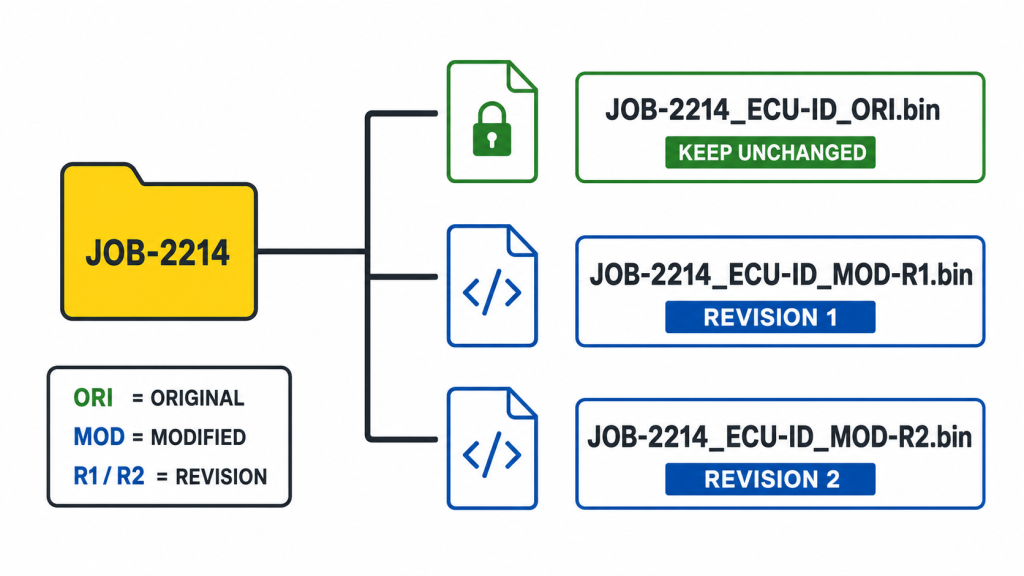
File organisation matters as soon as a second technician touches the job. Link the original to the registration or job number, record the ECU identification and note the read method. Modified versions need clear revision numbers and must never replace the original.
Use a naming convention that survives a busy Friday afternoon. JOB-2214_ECU-ID_ORI.bin and JOB-2214_ECU-ID_MOD-R2.bin are immediately clearer than original-final-new.bin. Consistency matters more than the exact format.
Keep a backup away from the primary workshop computer. Limit write access to the people responsible for calibration. Lost originals and mystery revisions consume hours that should have stayed billable.
How ECU Tuning Software Fits the Remapping Process
ECU tuning software sits between file acquisition and programming. The KESS3 ECU programming tool handles control-unit communication, while ECM Titanium provides the workspace used to examine the file and prepare a separate modified version.
The workshop guide to performance tuning explains the wider service workflow for businesses assessing ECU remapping as a workshop offering.
Choosing Professional ECU Tuning Software
Vehicle and control-unit coverage should guide the decision. Check a sample of recent workshop jobs rather than relying on one large headline number. Useful coverage means Drivers for the files the business actually sees.
Map presentation affects working speed. Table view suits exact value changes; 2D and 3D views expose shapes and transitions. Hexadecimal access remains available for work outside the guided map structure.
File management should fit the workshop’s internal process. The software needs to support careful version control and comparison without obscuring the original file. Compatibility with the programming stage is equally important because the prepared file must return to the correct vehicle through the appropriate tool and protocol.
ECM Titanium is available through Full and Credits options. Full supports unlimited recalibrations with up to 100 Driver downloads per day. Credits uses a credit-based model for selective Driver access, which can suit workshops with occasional file requirements. Workshops should confirm current licence terms on the ECM Titanium product page before selecting an option.
ECM Titanium in a Professional Workshop
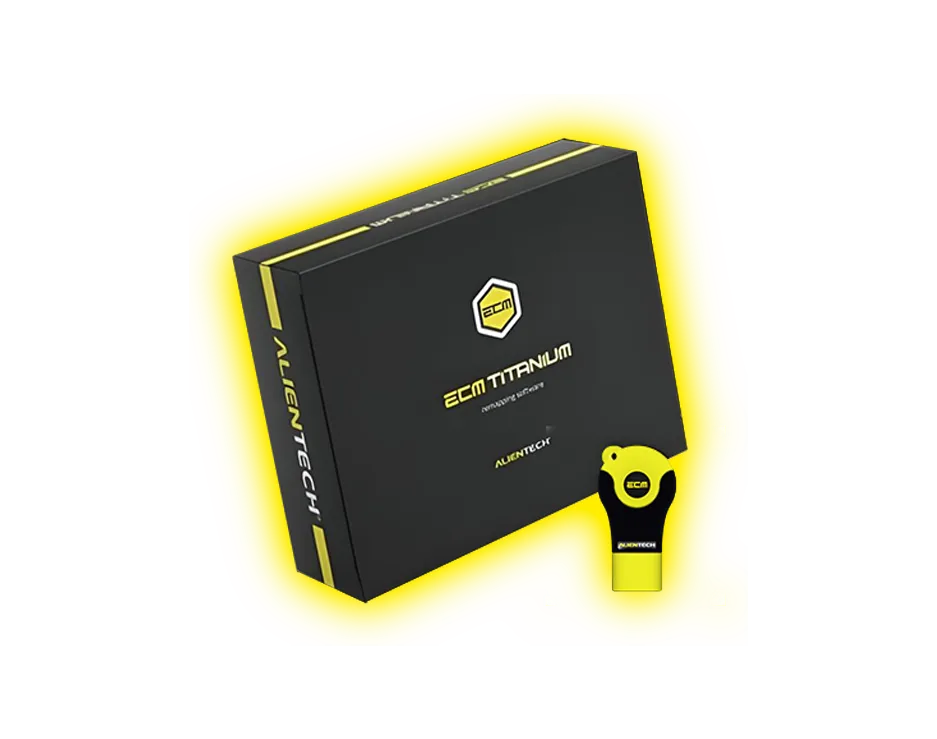
ECM Titanium software package and USB key.
ECM Titanium is Alientech’s ECU and TCU recalibration software. It is positioned between the file read and file write stages. The software uses Drivers to identify calibration maps. It supports table and hexadecimal views alongside 2D and 3D presentations.
For a workshop using KESS3, the hand-off is direct. KESS3 acquires the file and manages programming. ECM Titanium is where the file is examined and modified. The original stays attached to the job while each calibration revision receives its own record.
Technicians can read more about practical software workflow in 7 ways ECM Titanium improves ECU tuning efficiency.
Good Practice for ECU Calibration Work
Begin every calibration job with a verified original and accurate vehicle information. Document each meaningful change against the revision. Large unexplained edits make later diagnosis far harder than it needs to be.
The workshop should retain every important revision and record which file was written to the vehicle. Testing conditions should also be documented so results from one revision can be compared with the next.
Professional software supports this work, but technician judgement remains central. Mechanical condition and data quality affect the calibration decision, as does the intended vehicle use. A software interface cannot replace those checks.
Confirm ECM Titanium Compatibility
Alientech Tools Australia can confirm the ECM Titanium option suited to a workshop’s expected file volume and Driver requirements. The team can also check how the software will fit with KESS3 programming for the vehicles the business plans to service.
ECU Tuning Software FAQs
What Is the Difference Between ECU Tuning Software and a Programming Tool?
Tuning software edits the calibration file. A programming tool communicates with the control unit and transfers that file. A workshop needs both functions to complete the work in-house.
Is ECM Titanium Compatible with Files Read Using KESS3?
Yes, ECM Titanium works with original ECU and TCU files acquired through KESS3. The exact file still needs a matching Driver, so check the ECU identification and software version before calibration begins.
What Is an ECM Titanium Driver?
A Driver indexes recognised calibration maps within an ECU or TCU file. It supplies map names and, where available, axis information.
Which Map Views Are Available in ECM Titanium?
Table, 2D, 3D and hexadecimal views are available. Use the view that makes the change easiest to inspect.
What Is the Difference Between ECM Titanium Full and Credits?
Full supports unlimited recalibrations and allows up to 100 Driver downloads per day. Credits provides selective Driver access through a credit-based model. The suitable option depends on expected workshop file volume and Driver use.
Can ECU Tuning Software Replace Technical Knowledge?
No. Software can identify supported maps and present calibration data clearly, but the technician remains responsible for each change. Vehicle condition and intended use must inform the calibration decision.